Imagine that a critical piece of machinery malfunctions right in the middle of production. Chaos ensues. Technicians rush to the scene, but they’re missing key details – no clear problem description, no assigned personnel and no clue where to start. Hours tick by, deadlines loom and frustration builds. Sound familiar?
Now, picture a different scenario. A technician receives a work order with everything they need – clear instructions, priority level and a list of required materials. The task is assigned, tracked in real-time and fully documented. They arrive prepared, fix the issue quickly and update the work order. Downtime is minimized, production gets back on track and everyone breathe a sigh of relief.
This is the power of a well-structured work order system. With a Computerized Maintenance Management System (CMMS) like Sensys, you can turn maintenance chaos into a seamless, organized process. Our platform streamlines task assignments, reduces downtime and eliminates delays caused by missing information or miscommunication.
Instead of constantly reacting to problems, maintenance teams can shift to proactive management – saving time, money and unnecessary stress.
So, what makes a work order truly effective? Let’s break down its essential components and see how Sensys CMMS integrates them to keep your operations running like clockwork.
Location & Asset Specification
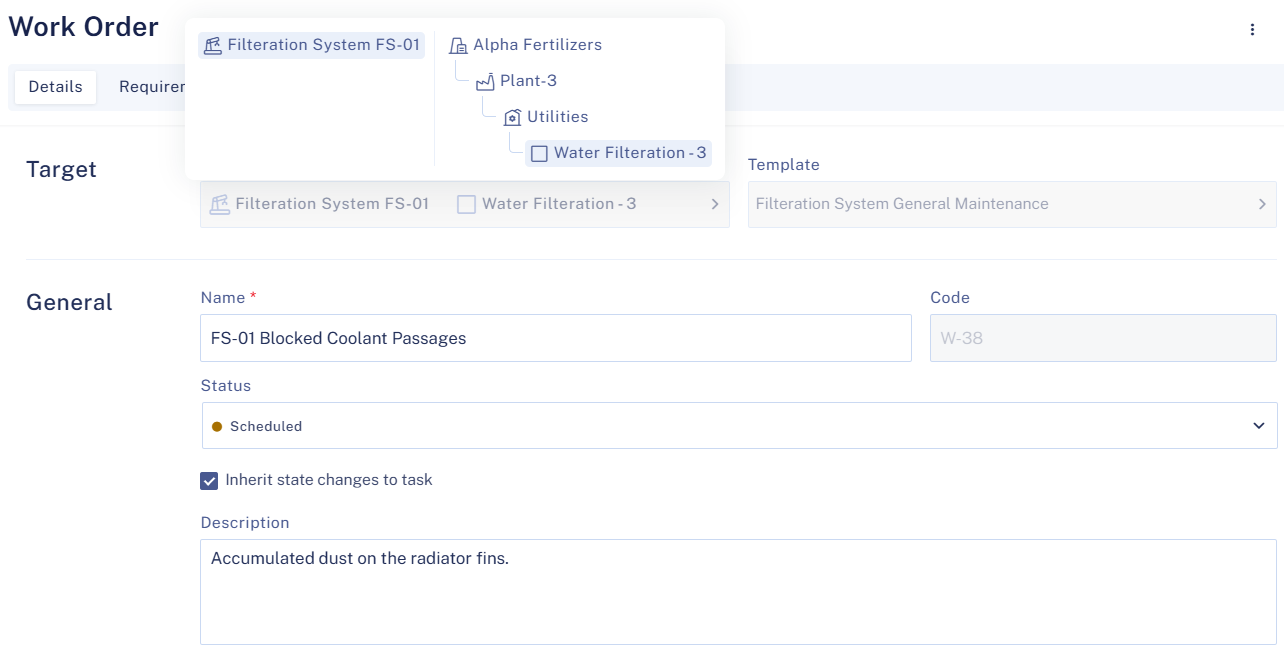
Specifying the asset on which the work is to be done seems obvious. But what about that asset’s location? Maybe you’ve run into a situation where a technician arrived at the wrong asset because the location wasn’t specified. In Sensys, each asset is linked to a specific location, ensuring that your field teams know exactly where they need to go to perform the required maintenance.
Work Order Identification
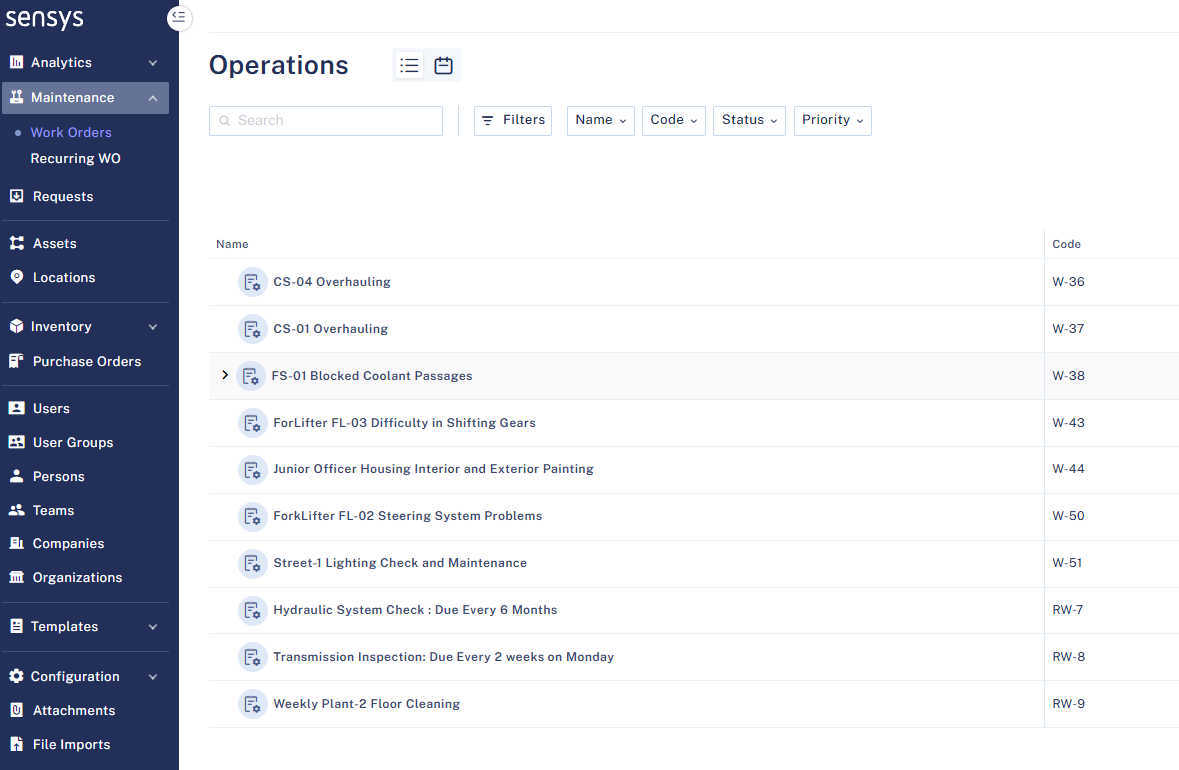
Keeping track of work orders can be overwhelming without a system in place. That’s why every work order needs a unique identifier. Sensys can automatically generate unique identifiers for you, eliminating manual effort and reducing the risk of mismanagement. Alternately, if your organization has its own naming convention, Sensys allows you to customize the identifier to suit your needs.
Status Updates
Real-time updates improve coordination and transparency between your operations and maintenance teams. A well-run maintenance team will regularly update the status of their work orders to ensure everyone stays on the same page.
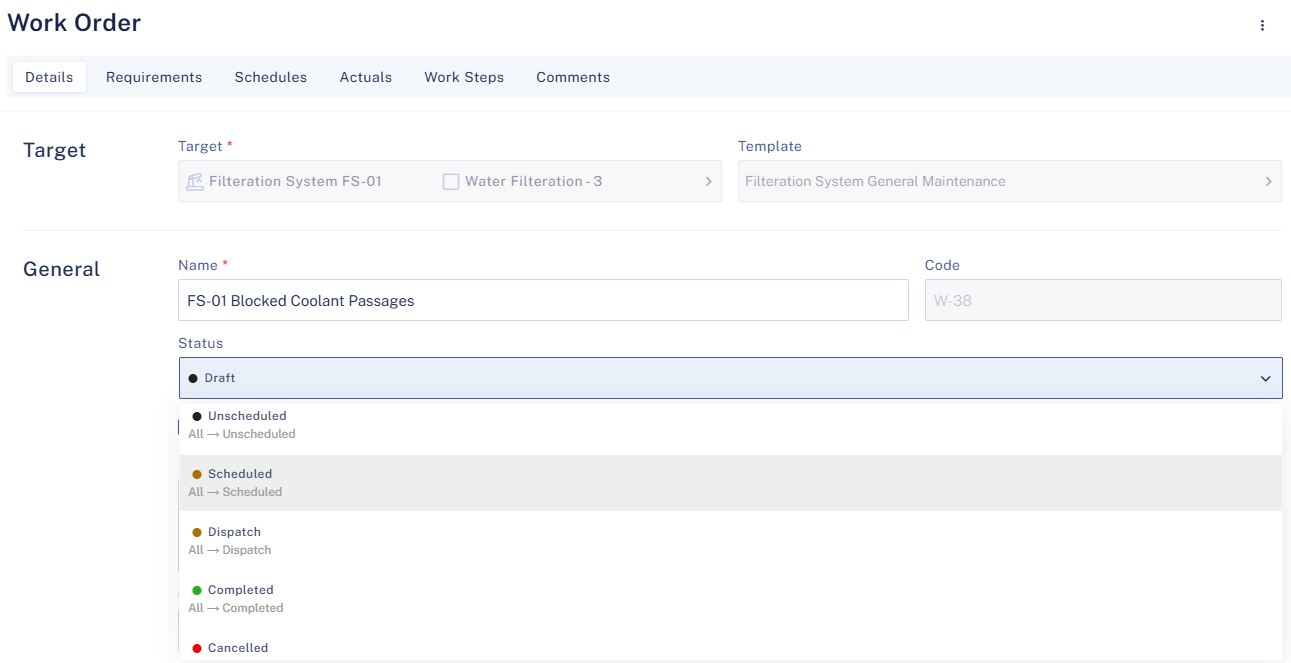
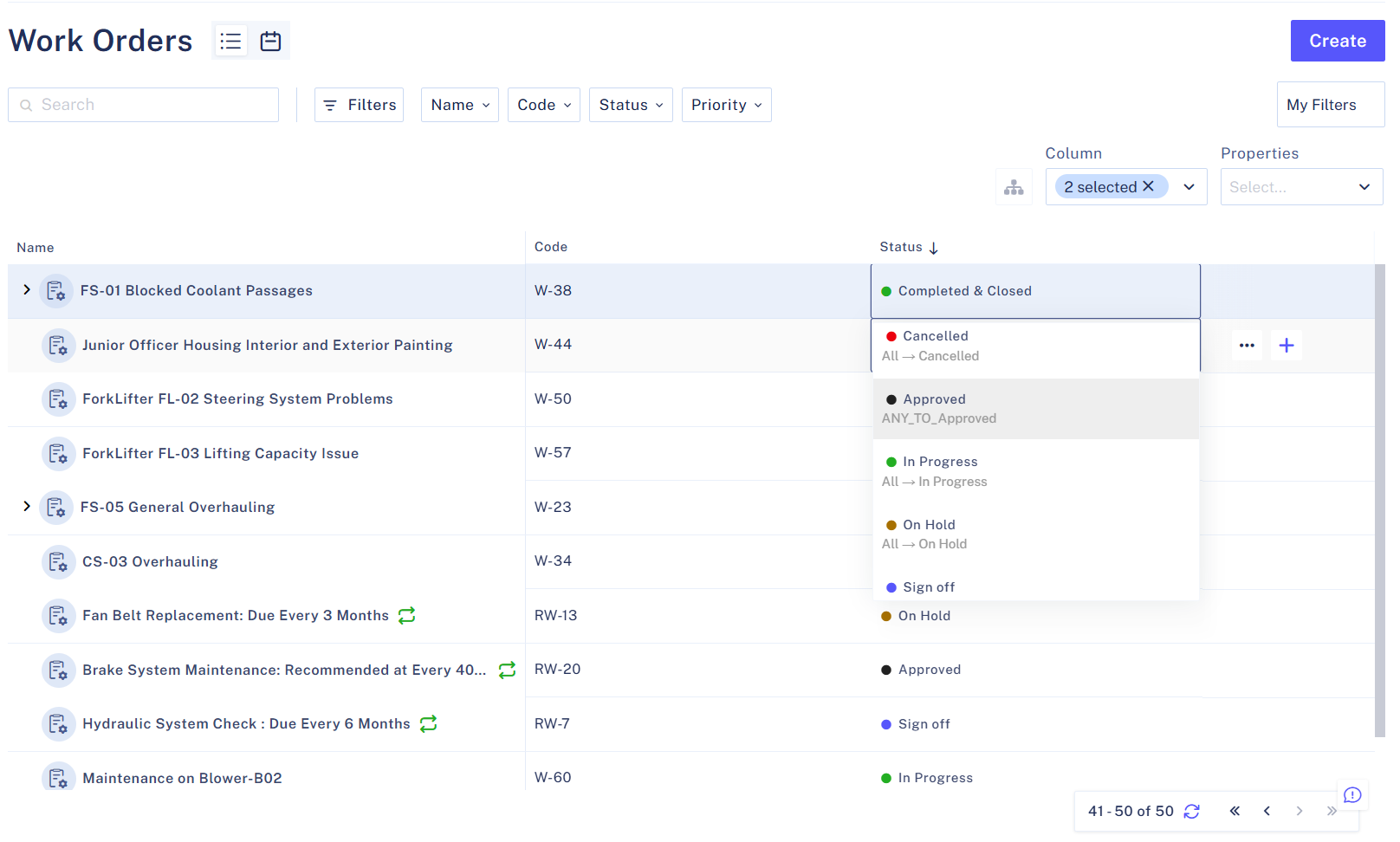
While most organizations may want to use the default status options available in Sensys, you may also add your own custom statuses. A custom status allows your organization to use its own terminology to help with change management and ease of training. Default statuses are as follows:
- Draft – Work order created but not assigned
- Scheduled – A technician has been assigned along with a start date and time
- In Progress – Work has begun
- On Hold – Work has been paused
- Completed – Work completed
- Closed – Work order reviewed and fully closed
Work Order Type
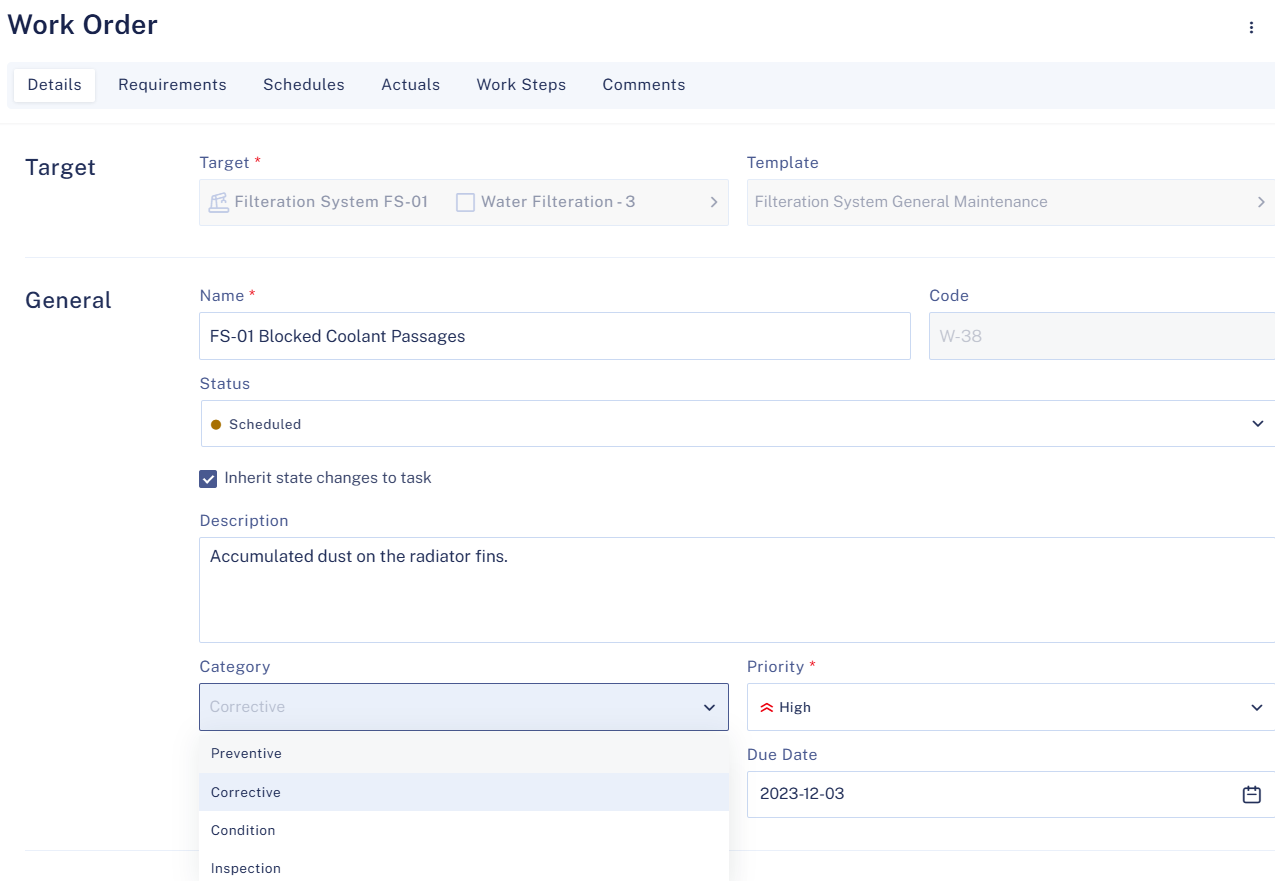
Not all work orders are the same, and categorization is essential for prioritizing tasks and allocating resources efficiently. Sensys’ work order system supports various work order types, such as the following:
- Preventive Maintenance (PM) – Scheduled maintenance to prevent failure/breakdowns
- Corrective Maintenance (CM) – Repairs or replacements due to asset/equipment failure
- Condition-based Maintenance (CBM) – Monitors asset/equipment conditions using sensor data to determine if maintenance is required
- Inspection – Routine checks for compliance, safety and performance assurance
Properly categorizing the work orders also prepares data sets for future analysis allowing you to answer questions such as – “How many of my work orders are for corrective maintenance?” or “Are we running an appropriate number of inspections every month?”
Priority Level
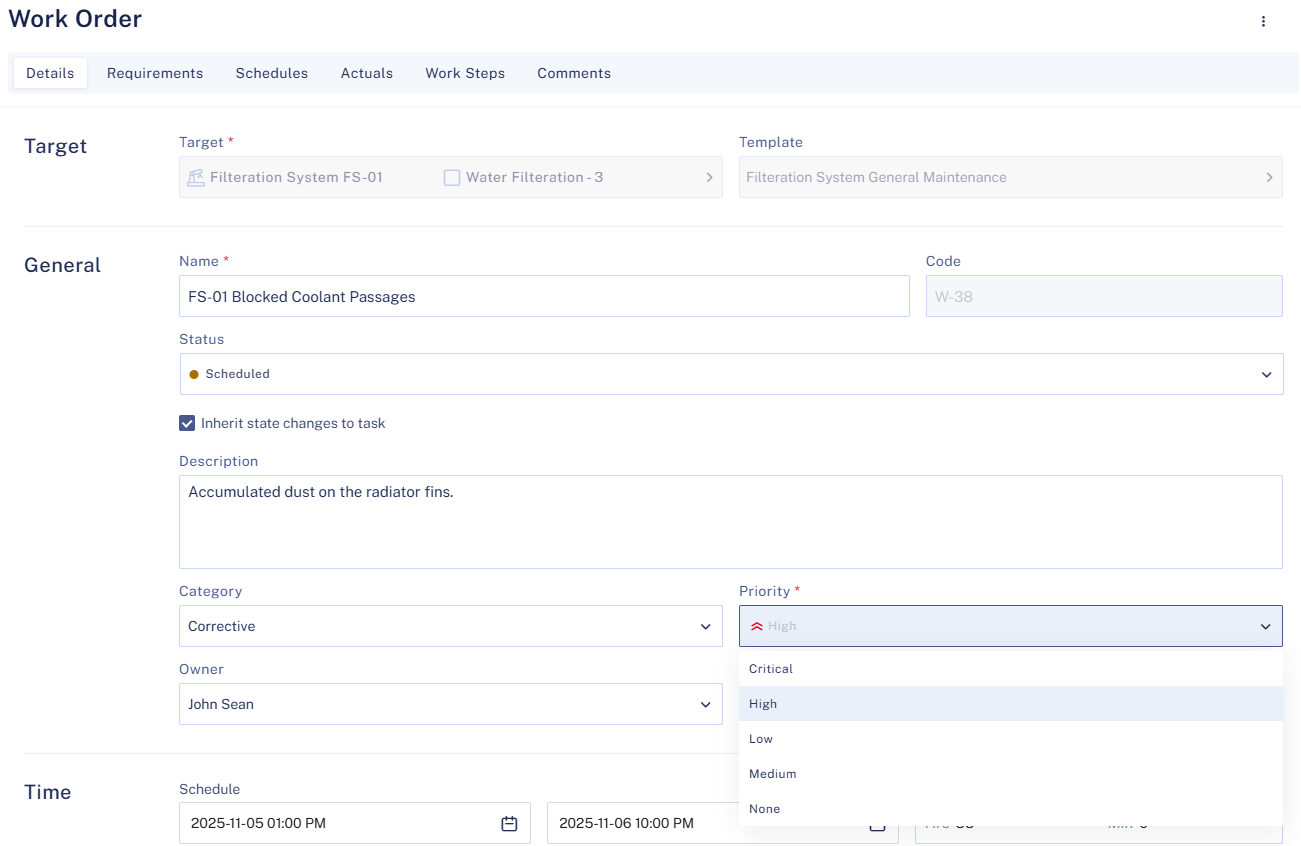
Not every task needs immediate attention, but some require urgent action. A well-defined priority system helps ensure that urgent tasks are addressed promptly, while giving maintenance planners the ability to change priorities based on operational requirements. Proper prioritization also supports decision-making by giving supervisors real-time insight into the priorities of open work orders, and guiding future data analysis to assess whether higher priority work is completed on time. Sensys provides default priority levels as listed below:
- Low Priority – Routine, non-urgent tasks
- Medium Priority – Tasks that should be completed soon but are not critical
- High Priority – Urgent but non-emergency tasks
- Critical – Must be completed immediately to prevent safety hazards or business disruptions
Required Spares, Tools or other Equipment
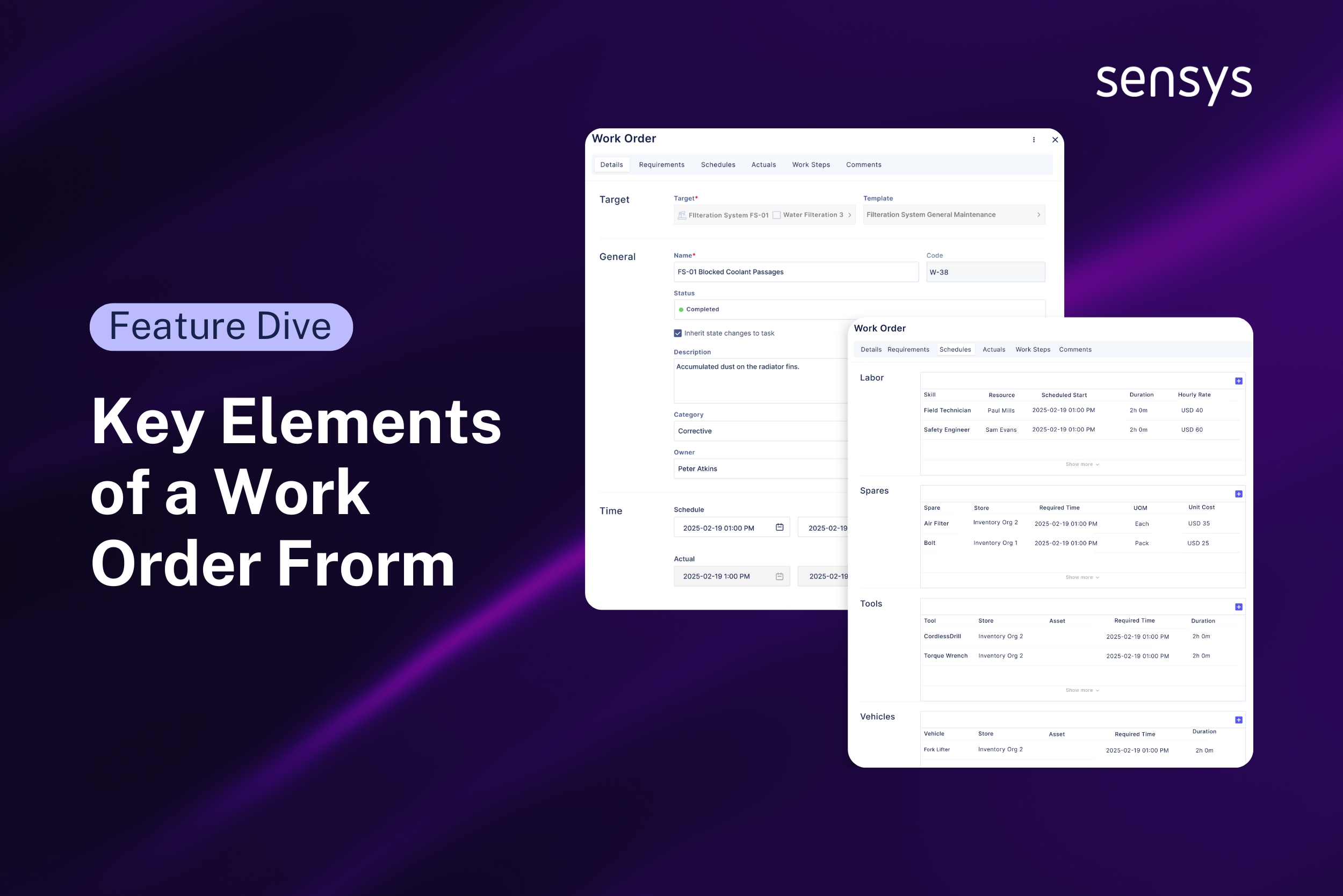
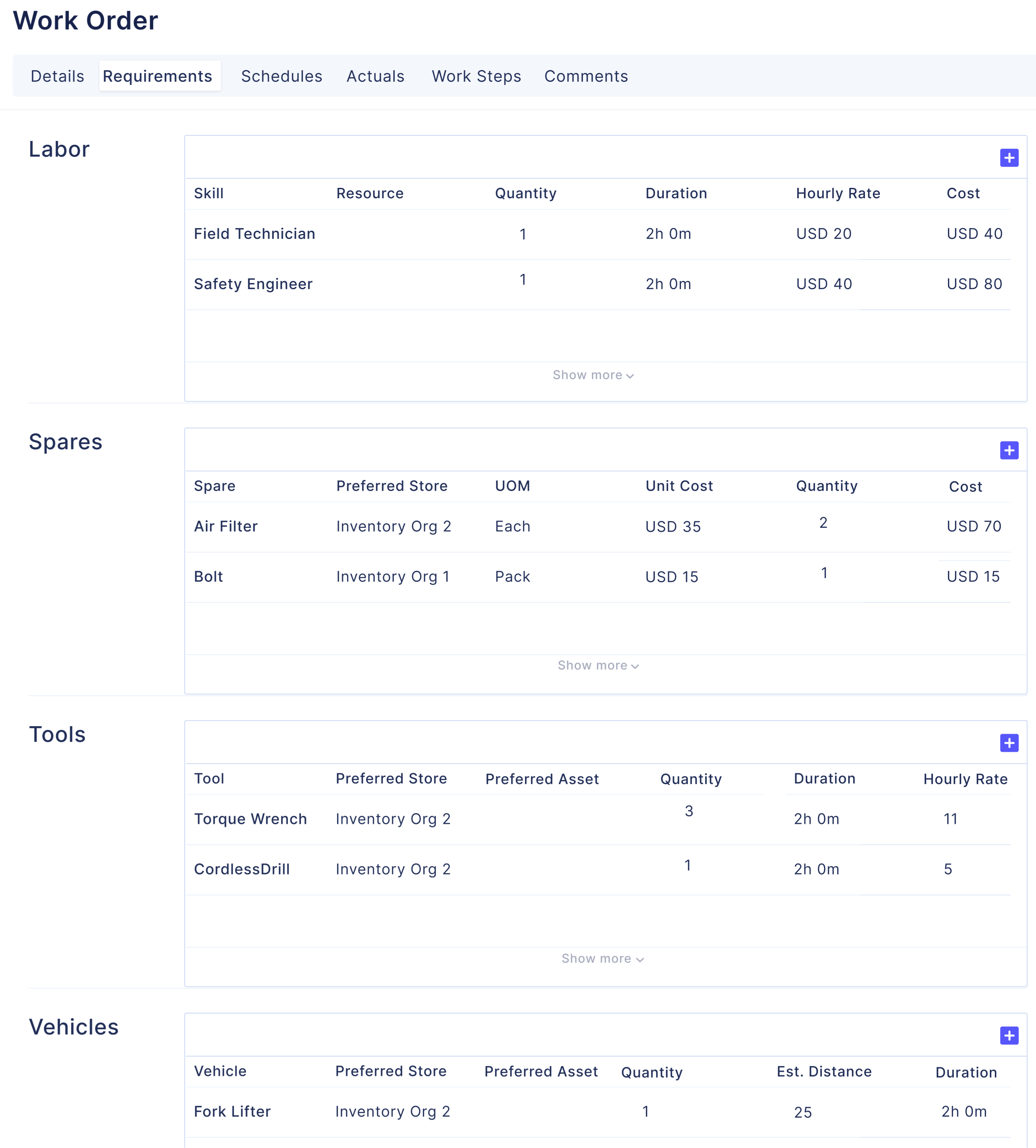
A well-prepared work order contains all required resources (spares, tools or vehicles), which helps prevent unnecessary delays by ensuring resource availability well before execution begins. In Sensys, reserving resources for specific work orders updates inventories in real-time, so that your warehouse teams are aware of upcoming requirements and can supply the needed resources at the time of execution.
Assigning and Scheduling Technicians
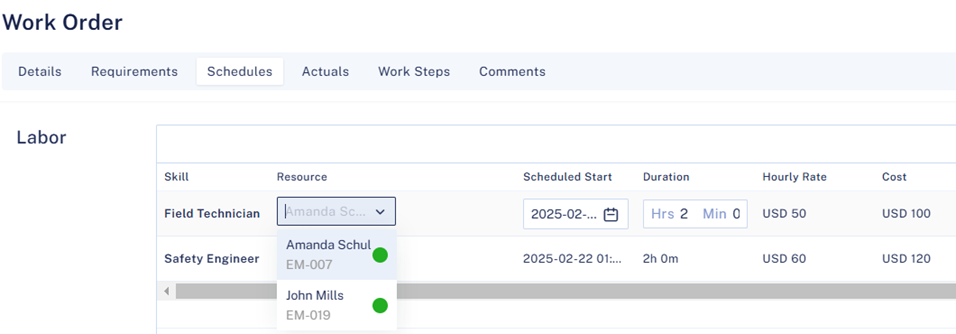
A large part of work order success is tied to the right individual performing the task. However, it can be tough to know who will be available well in advance. To help deal with this challenge, Sensys gives you the ability to assign a generic skill, for example a Safety Engineer or an Electrician. Later, when you have better visibility into a specific individual’s availability, you can assign that person to the job.
Time Logging
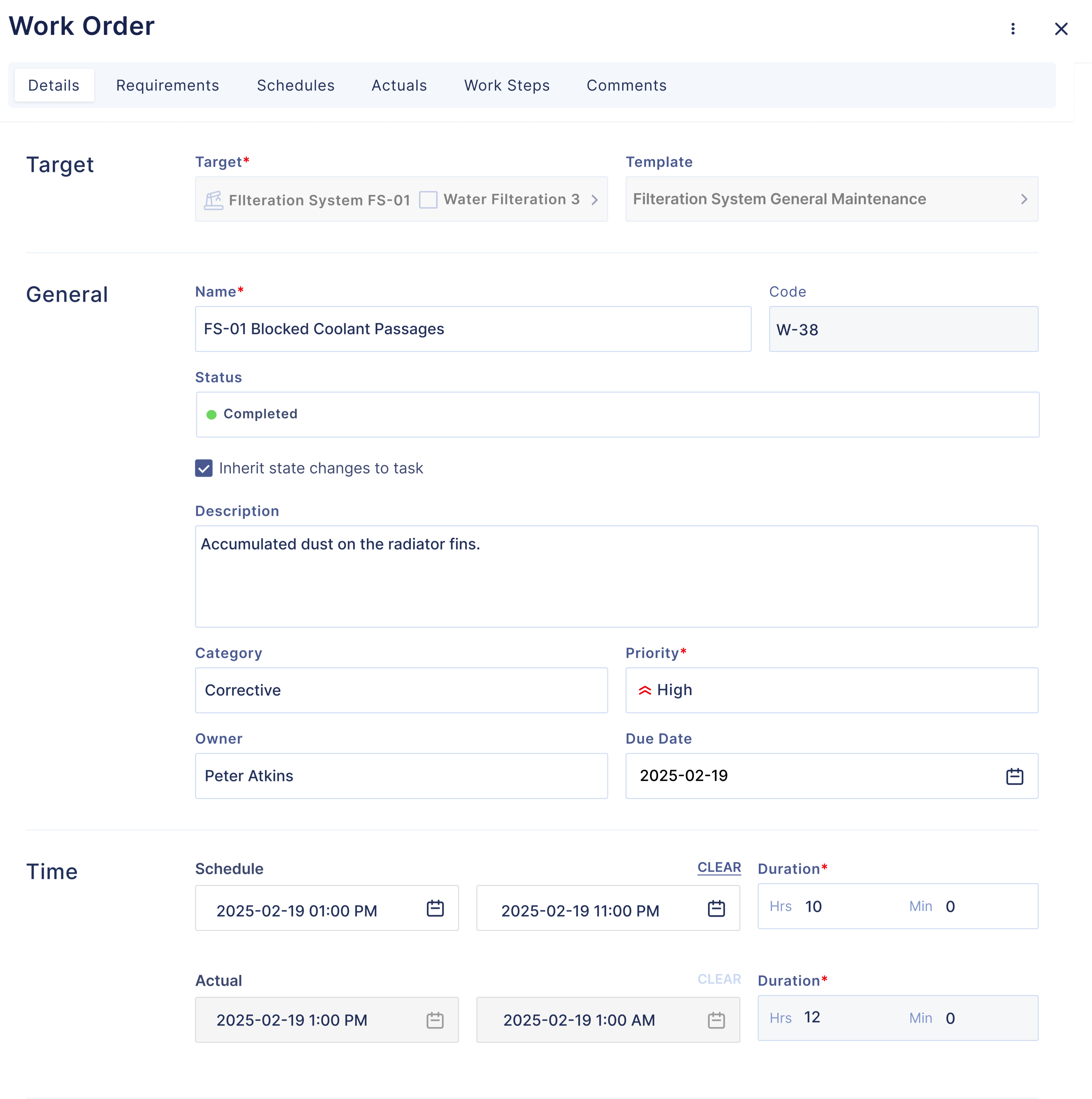
A thorough work order should log essential completion details, especially the time taken to complete work. Sensys’ work orders capture the date and time of completion, total hours spent and also provide a comparison with estimates. Using the Sensys mobile application, assigned technicians can easily log their hours from their mobile devices rather than coming back to a laptop or desktop.
Work Description and Execution
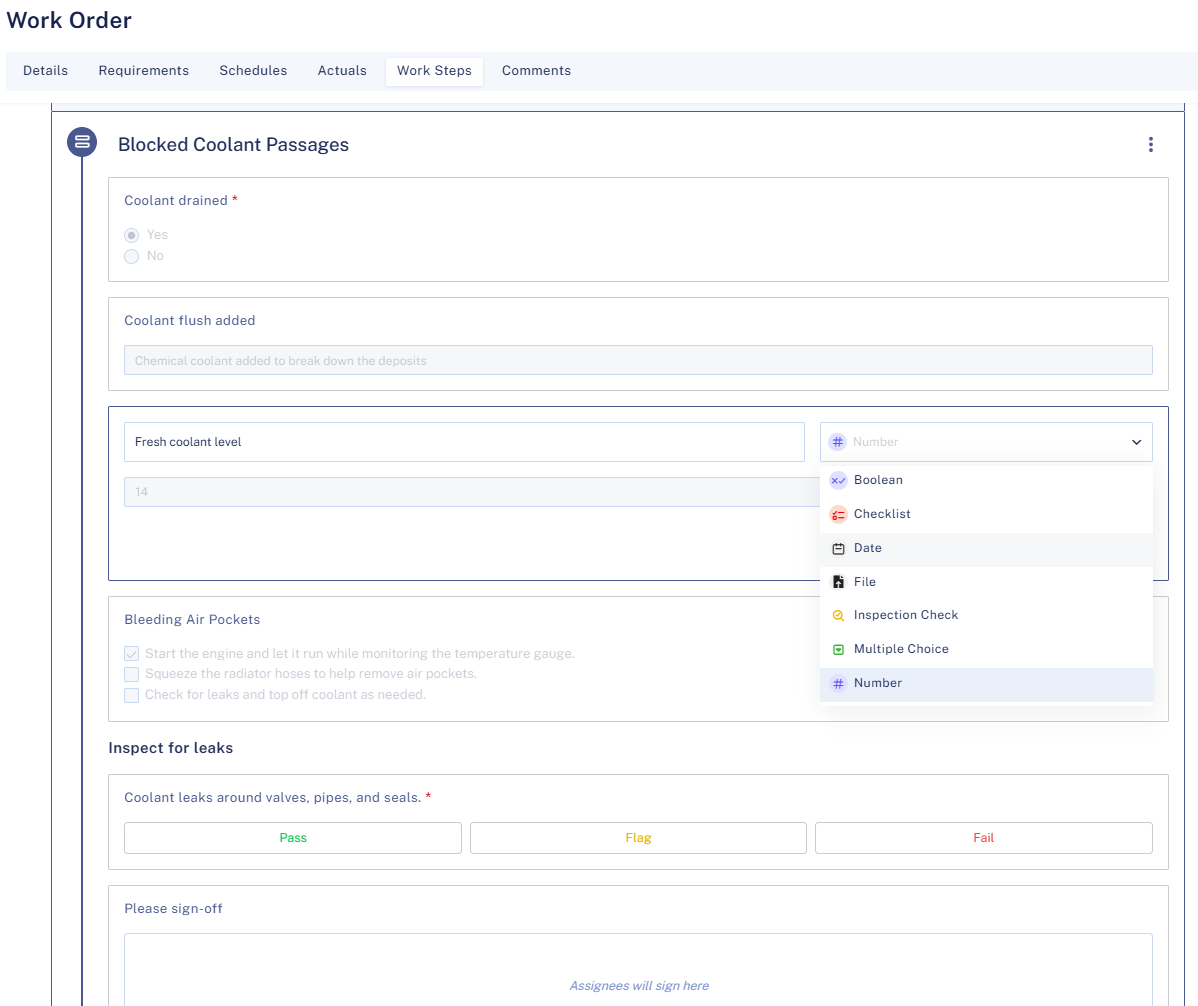
A well-structured work order doesn’t just say what needs to be done, it explains how to do it. Sensys has designed a Work Steps feature to help you create step-by-step instructions, allowing tasks to be carried out consistently every time.
These work steps allow you to record valuable information in different ways by making the instructions not only structured but also interactive, helping technicians to follow and update them in real-time. With time, each work step becomes a mini record of accountability, performance, and compliance providing data and insights for continuous improvement of your maintenance processes. Below is a closer look at the various Work Step types that can be added to a Sensys work order:
Boolean
A Boolean Work Step is ideal for capturing simple yes/no or true/false confirmations. For instance, “Is the safety switch turned off before proceeding?”, with a single click or tap, technicians can confirm they’ve taken critical safety measures or completed preliminary checks. This not only enforces standard operating procedures but also provides an audit trail.
Checklist
A Checklist Work Step breaks down more complex tasks into smaller sub-tasks. Technicians can tick off each sub-task as they complete it. For example, for a preventive maintenance job on a generator, you might have sub-tasks such as “Check oil level”, “Inspect spark plug” and “Clean air filter”.
Date
A Date Work Step captures any date-related requirement within the task. Whether it’s the date of the last calibration for a sensor or the target completion date for an inspection, technicians enter a specific date to document compliance or schedule follow-ups.
File
A File Work Step allows technicians to upload or attach files directly to the work order. These could be compliance certificates, user manuals, photos of equipment damage or any other relevant documents. Having these files in one place ensures everyone has immediate access to critical information.
Inspection check
Use an Inspection Check Work Step when the technician needs to record a pass/fail or within tolerance/out of tolerance type of result. For example, “Voltage reading within acceptable range?” or “Are all bolts at the correct torque setting?”.
Multiple choice
A Multiple-Choice Work Step is perfect for when you need a predefined set of possible answers. For example, if you want the technician to classify a fault type or select the type of lubricant used, you can set up options like “Hydraulic Oil”, “Synthetic Oil” or “Food-grade Lubricant”.
Number
A Number Work Step captures numerical values such as meter readings, temperature, pressure or voltage. You can set acceptable ranges to readings for closer attention.
Signature
A Signature Work Step is where a supervisor, technician or requester can sign off on a specific step or an entire task. Technicians can easily sign from their mobile devices, eliminating paperwork and streamlining the approval process.
Text
A Text Work Step offers free-form input for details that don’t fit into predefined fields. Technicians can use it to describe issues in their own words, provide unique observations or record additional insights.
Attachments
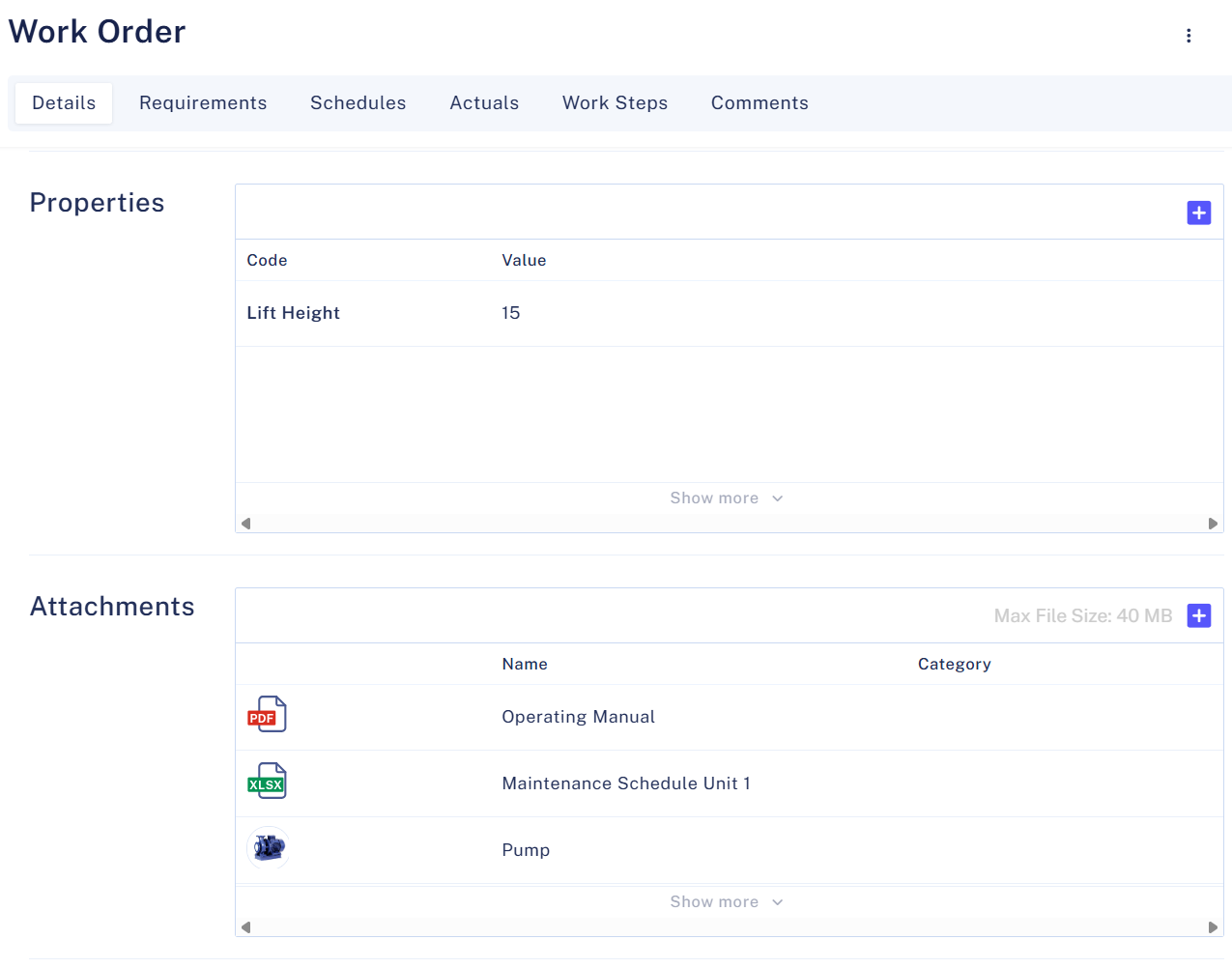
Sensys’ work orders allow users to attach before-and-after photos, technical schematics, inspection reports, manufacturer manuals, safety compliance documents and more. These attachments can be invaluable for field technicians while they are performing their work.
Building an attachment library over time can also help transform Sensys into a central asset and maintenance knowledge hub, which provides valuable data for future AI-driven use cases.
Approvals and Feedback
Before closing a work order, a final review can be essential to maintain quality control and maximize accountability. In some cases, digital approvals may be needed for safety and compliance purposes. Sensys offers a powerful and flexible approval process which can be customized to your organization’s needs.
If all you’d like is a final supervisor review before closing a work order, that can be done. In case you have a multi-step process in which more than one individual approves different stages of your work order, that can be implemented using custom states.
Conclusion
A chaotic maintenance process leads to frustration and unnecessary downtime. With the right system in place, though, everything flows. No more scrambling for missing details or dealing with last-minute surprises – just smooth, predictable maintenance that keeps your operations running strong.
Sensys CMMS takes the guesswork out of maintenance, making sure your team has what they need, when they need it. It’s about working smarter, not harder. So why not simplify the process, reduce stress and keep things moving like a well-oiled machine?
Let Sensys do the heavy lifting so you can focus on what matters most. Try it today and experience the difference!